Sunday, December 2, 2012

KitchenAid & Kitchen Damage

This summer we decided to remodel our kitchen. It is an intricate process, involving a contractor, an interior designer, builders, plumbers, electricians, tilers, cabinet installers, counter top installers, appliance installers and flooring layers. Inspectors must approve vital steps along the way. I developed deep respect for the contractor who forged this orchestra into a coherent ensemble.

The work was finished on time, taking roughly ten weeks. I must warn you that it takes adjustment to live without a proper kitchen for such extended time. Preparing meals for four on one hot plate can be taxing. I recommend an electric induction cooktop like the DUXTOP 1800-Watt Portable Induction Cooktop Countertop Burner 8100MC for cast-iron ware, but must admit that plenty pizza was ordered.

The work was finally finished. The day came to test the appliances. We use our old refrigerator and gas range. Their activation was uneventful. The new dish washer and microwave oven posed no problem either. However, when the brand new built-in KitchenAid® Dual-Fan Convection Oven with Steam-Assist Technology (KEBU107SSS) was energized, trouble began. The high-end appliance is set into a large opening of one of the wonderful-looking wood-finish Merillat cabinets at upper body level. It needs a particular high amperage power line and a hose for filtered water. Immediately on activation, the oven's control panel displayed the error message:

F7-E2: Boiler NTC out of range.

The service center was consulted. The following week a subcontracted technician paid us a visit, connected his computer to the oven, checked its vital signs, and ordered one W10076760 sensor, one 9758598 boiler and one W10160958 cntrl-elec, worth roughly 450 dollars in toto, on warranty. The parts arrived on the door step two days later. On the third day, two other gentlemen arrived to install them and recheck the ovenly functions. The steam function seemed to work at 500° F.

Hooray, the great gadget finally seemed to work as it was supposed to without fail! Of course, the technicians did not bake anything in it. The first uses for the brand-new oven were merrily planned for the next day.

But fate had something else in store. Before we started cooking with the oven, I stepped down into our basement to retrieve the Christmas ornaments, only to find a small puddle of water on the floor encroaching on the cardboard boxes. First I thought our hot water boiler sprung a leak. But no, the water dribbled from above, exactly from the spot where the steam oven is located.

I ran upstairs, opened the doors of the cabinet beneath the oven. The pots and pans stored on the shelves were filled with water and had overflowed. Water was dripping from above. The laminated shelving was already crumbling. The wooden flooring in front of the cabinet showed signs of warping.

In the back, I saw the coupling between the water supply line and the oven line. I saw no drops of water on the tubing. I touched the coupling. It was dry.

No doubt, the water dribbled from the oven above. We could not see precisely where the source was, because a board blocks the view on the oven's underside.

I turned off the water supply. We removed the pots and pans, soaked up the water with rags, and called the service center.

The lady from the other side of the globe was friendly. After she verified our coordinates, I explained what happened. She told me that the next appointment with a service technician was available in eight days. I replied that this was no case for a service technician, but for an adjuster to strike up a damage report.

After a little silence, the sweet voice suggested a service technician one more time. I did not dare turn down her offer in the hope that somebody would show up in the flesh eventually. Furthermore, I asked her to kindly inform her superviser of the water damage to the kitchen.

One day later, we have yet to hear from the superviser. In my opinion, our KitchenAid® steam oven is deeply flawed. It was supposed to be a brand-new, high-end appliance and should have worked right out of the box. Sadly, it never ran properly even after massive repairs. Moreover, it severely damaged a brand-new kitchen cabinet.

It is beyond my expertise to judge whether the manufacturer or the service company are responsible for the damage. Regardless in what fashion this journey will end, the consumer experience has been catastrophic from the beginning. I wonder how the KitchenAid® brand manages to survive against its competitors with such abysmal record.

Addenda
  • A team of experts has visited our home to investigate the cause of the accident. The installation guide for the oven suggests copper tubing for the water supply. The gentlemen divined that the coupling between the copper tubing and the oven had sprung the leak, when the service technicians moved the oven back into the cabinet after the repair. This may happen, I was told, because the copper tubing is stiff and prone to kink. The gentlemen also noted that the technicians had installed only one of the three spare parts that were ordered (12/21/2012).
  • Two days ago, the kitchen cabinet furnisher delivered a replacement for the damaged cabinet housing the steam oven and a new appliance. The company had both installed yesterday. An expert was called in to connect the water line. Another shut-off valve was placed beneath the oven between the piece of copper tubing connected to the oven and the plastic tubing connected to the water filter. This morning, I checked the cabinet beneath the oven for traces of water and was happy not to find any. This afternoon, we tested the new oven's steam function, baking French bread. The oven was preheated to 450° F. The steam function was activated, and the loaves were placed on the rack. The convection fans in the oven's back spun with unbearable noise. The first oven's fans ran quietly during the technician's brief test. Despite, the oven kept working without error messages. The bread rose. Its crust turned nicely brown. About 15 minutes into the process, when the bread was almost ready, the oven stopped with the warning:
    F7-E0: Water is not high enough.
    We checked the cabinet beneath the oven. Plenty water was dribbling from above, accumulating on the shelves. We closed the new shut-off valve and mopped up the spill as much as possible. The bread turned out great (12/29/2012).
  • Today experts visited us to look after the new oven. They attested that electrical wiring behind the convection fans supplying a water level gauge was improperly fastened, allowing one wire to rub against the spinning fans. The rubbing had caused the noise we heard. Once the wire's insulation had been shaven away, the water level gauge failed. The gauge failure apparently allowed the feedwater to flow uncontrolled, spilling into the cabinet below. Because we noticed the leak immediately and shut off the water supply, no water damage to the cabinet could be found this time. The experts repaired the faulty gauge and tested the oven at 300° F for 20 minutes. No malfunction occurred. Regardless of this progress, two brand-new defective ovens in a row provide disconcerting evidence that KitchenAid® needs to urgently improve quality control. Whoever assembled and tested these ovens should feel profoundly embarrassed for their shoddy workmanship (01/10/2013)!
  • We have been baking delicious breads four times to date. The appliance performed well, though a relay seems to stick on occasion, producing a soft vibratory sound. No further leaks sprang up. Other than an urgent review of quality control, I may suggest two additional safety features that may help avoid water leaks. First an expansion joint between the oven pipe and the feedwater pipe may help prevent the coupling between the two pipes from leaking because of potential unequal metal expansion owing to differing temperatures at the terminations. Moreover, an external solenoid-operated stop-check valve should be installed in the feedwater line. The valve ought to fail close on power loss or on error signals from the oven's control board (01/20/2013).

Friday, September 28, 2012

Fukushima Daiichi Nuclear Power Station Unit 1: Blunt Force Impact Damage Inside Primary Containment

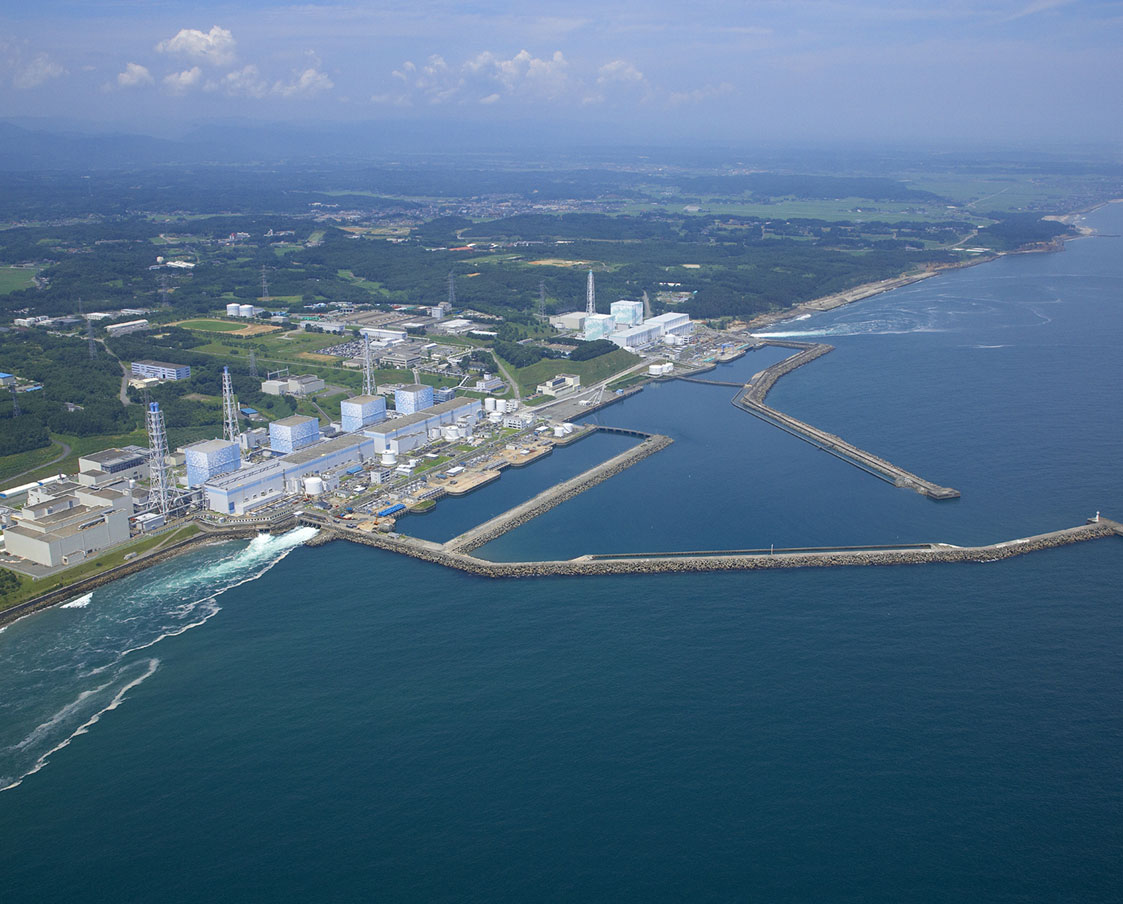
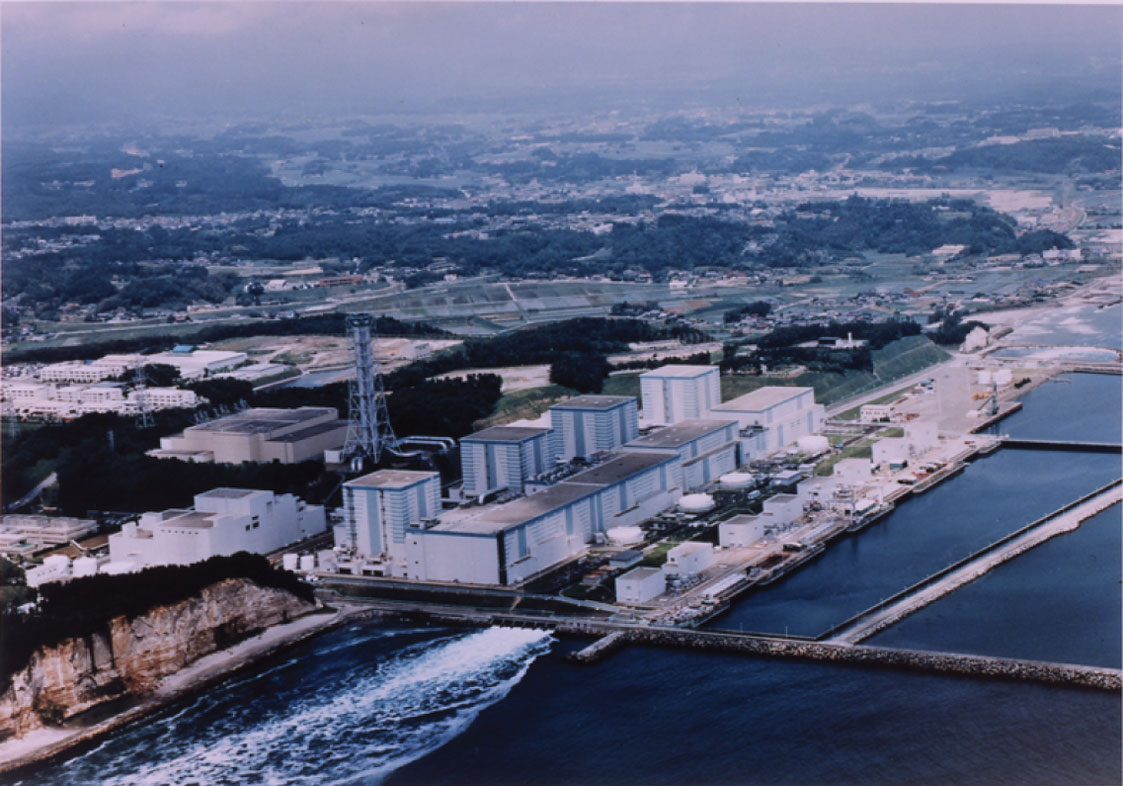
The Mar. 11, 2011, Tohoku-Chihou-Taiheiyou-Oki Earthquake and Tsunami precipitated losses of coolant and fuel meltdowns in three reactors at Fukushima Daiichi Nuclear Power Station. Unit 1 was the station's first to incur a meltdown.

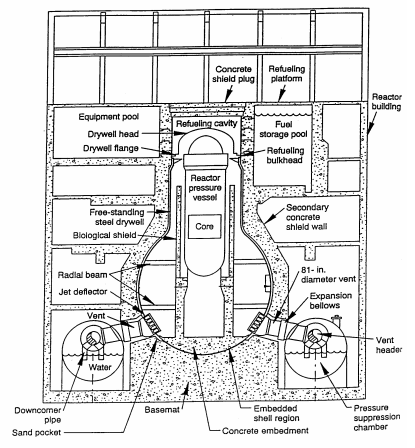
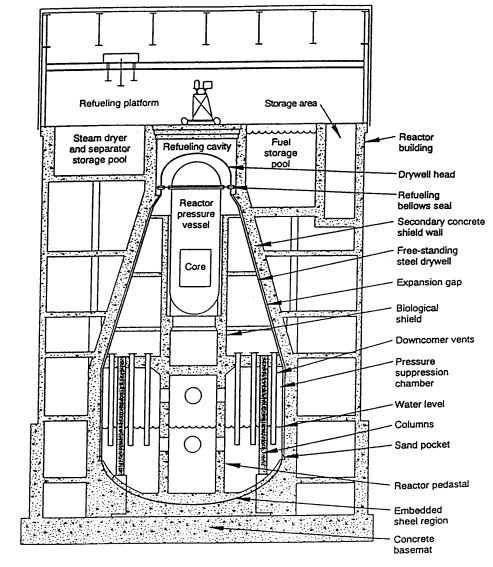
Yesterday, the nuclear power station's operator Tokyo Electric Power Co. (TEPCO) released a video of the first endoscopic exploration inside Unit 1's primary containment vessel (PCV) (TEPCO press release with the title "Punching an Access Hole at the Penetration (X100B Penetration) of Unit 1 PCV at Fukushima Daiichi Nuclear Power Station", dated Sep. 27, 2012). TEPCO's video can be downloaded here. General Electric's Mark I primary containment systems are composed of a pear-shaped drywell housing the reactor pressure vessel (RPV) and a doughnut-shaped, water-filled suppression chamber, also known as wetwell. TEPCO's video below explores the inside of the drywell (courtesy: SimplyInfo.org).


Note that the upper part of the drywell is filled with dense steam. Water must be boiling at the bottom of the primary containment.

Furthermore, the dominant color of the drywell's inner surface is grimy black and not brown as observed in Unit 2 (see the video in my post with the title "Fukushima: Fuel Meltdowns & Cold Shutdown" published online Feb. 15, 2012), indicating combustion either by explosion or fire.

18:05 minutes into the video blunt force impact on the drywell becomes visible. A large piece of sharp-edged debris can be seen deposited adjacent to exposed rebar of a reinforced concrete wall structure. The impact suggests that the location was struck by a heavy object, perhaps the object nearby, either falling from above or projected against the drywell wall like a missile.

A high-pressure steam jet exiting from a small RPV breach, also known as small breach Loss of Cooling Accident (LOCA), could have blasted chunks off the RPV or its piping, turning the chunks into projectiles that impacted the drywell.
Addendum
  • During the past week, TEPCO undertook another video camera foray into the primary containment vessel (PCV) of Unit 1 (TEPCO's press handout with the title "Investigation Results of the Inside of Unit 1 PCV at Fukushima Daiichi Nuclear Power Station" dated Oct. 15, 2012). The company released three videos of the exploration.
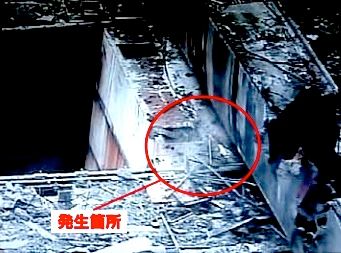
    The two pictures below, courtesy of Simplyinfo.org, were captured between 37 and 44 minutes in the hour-long video.


    The pictures show three types of damage: • the PCV floor fractured (first picture; top left corner), • scattered metal shards (both pictures), suggesting piping shattered in a blast caused by excess interior pressure, and • extreme force impact fragmented large structures and components (bottom picture)(10/17/2012).

Thursday, September 20, 2012

Virtualization & The Mind

In previous posts published Apr. 7 and Nov. 25, 2009, I discussed the use of QEMU for emulating virtual computers and the use VirtualBox to run Google's Chrome OS on an Apple MacIntosh Mini computer, respectively. This post provides more detail on the installation of guest operating systems on two platforms using VirtualBox. VirtualBox is an emulation application originally developed at Sun Microsystems and now supported by Oracle. It permits us to operate a guest operating system (OS) on virtual computers installed on a different platform. Two configurations are discussed (see table below).

Configuration Host Computer Host OS Guest OS
1 Apple MacBook 10.6 Windows 8
2 Dell Inspiron Windows 7 Linux


The two test configurations (table courtesy: HTML Tables).

One configuration entails running a Linux-operated virtual computer on a Microsoft Corporation's Windows 7 (32-bit) operated Dell Inspiron 1318 laptop (2.00 GHz Intel Core 2 Duo; 2 GB RAM). In the other, a Microsoft Windows 8 (64-bit) operated virtual computer is run on a OS X (10.6.8) operated Apple MacBook (2.26 GHz Intel Core 2 Duo; 2 GB RAM). In both examples, the results have been excellent. The virtual guest machines operate astoundingly fast, while the impact on the host computers performance is acceptably small. Below, find suggestions how to proceed with the installation:
  1. Download and install the latest version of the VirtualBox platform package (here 4.2) for each actual computer from Download VirtualBox.
  2. Open the application. The VirtualBox Manager will prompt you to set up a new virtual machine, presenting default options on the right. Set base memory to not more than a third of the host computer's RAM. The base memory can be ramped up to one half of the host computer's RAM. However, this may slow the computer.
  3. Set the virtual machine's video memory to 128 MB.
  4. I chose VMDK as the virtual machine's hard drive format and an 8 GB, expandable, as hard drive size for Linux and 20 GB, fixed, for Windows.
  5. Install guest operating system on the virtual machine. I chose Windows 8 (64 bit) for the OSX-10.6 MacBook host and Crunchbang Linux 10 (32 bit, i-386), a small footprint Ubuntu Linux distribution, for the Windows-7 Inspiron host. You can either install the guest operating systems from disk or iso-images that must be attached to the CD/DVD ROM drive of the virtual machine using 'Devices☞CD/DVD Devices' on VitualBox's pulldown menu.
  6. USB-2.0 support. To enable USB-2.0 devices on the virtual machines, download the Oracle VM VirtualBox Extension Pack for the version matching that of the VirtualBox on your computer from VirtualBox's download page and install the package following conventional host OS-specific procedures.
  7. File sharing. To enable file sharing on the virtual machine, VBoxGuestAdditions need to be installed. If you pull down the 'Device' option on the VirtualBox menu and select 'Shared Folders', a VBoxGuestAdditions iso-disk image containing the necessary files should mount. Eventually, the path to the shared folder on the host must be added to the 'shared Folders' list (see details below). If the VBoxGuestAdditions iso-image does not mount, download the image from the VirtualBox repository and mount it on the virtual CD/DVD-ROM drive, using the VirtualBox pulldown menu option 'Devices☞CD/DVD Devices'.
  8. For Windows guests, open the VBoxGuestAdditions iso-disk image folder in the guest with Windows Explorer and simply run the VirtualBox additions executable that matches the guest's operating system. For Linux guests, install the Linux-headers development packages for the kernel of your guest operating system before you proceed. Crunchbang has been developed as a Debian-based Ubuntu distribution. The needed header packages can be added to the operating system with the Synaptic Package Manager. After the packages have been installed, mount the VBoxGuestAdditions iso-image on the virtual CD/DVD-ROM drive, using the VirtualBox pulldown menu option 'Devices☞CD/DVD Devices'and, using the guest's command line terminal, go to the disk image folder, typing at the prompt:

    cd /media/cdrom

    To install the needed additions on the guest enter on the command line:

    sudo sh ./VBoxLinuxAdditions.run

    After providing your root password, the additions should compile and install. Without Linux headers installed, the script attempts to add a pre-compiled module. In my attempts, the module failed to be added on reboot. Hence, I took the alternative route via compilation. The compiler, however, depends on the Linux-headers development packages. Reboot the guest!
  9. The file sharing path for Linux guests. If shutdown and reboot of the guest proceeded without fail, create a folder in your home directory on the Linux guest as mount point for the folder to be shared on the Windows host. On the Windows host, I created a shared file folder with the name 'share' in the Documents folder, and added the folder's path to the list under the VirtualBox pulldown menu option 'Devices☞Shared Folders':

    C:\Users\Username\Documents\share

    If the correct path is inserted, the ok-button will light blue. Press okay. After that, the folder can be mounted on the Linux guest filesystem just so:

    sudo mount -t vboxsf share /home/Username/Documents/share

  10. The file sharing path for Windows guests. For the Windows guest running on a OS X host, make sure that file sharing is activated under 'System Preferences☞Internet & Wireless☞Sharing' on the host. I made a shared folder with the name 'share' in my documents folder on the host and entered its path in the folder list under the VirtualBox pulldown menu option 'Devices☞Shared Folders':

    /Users/Username/Documents/share

    If the correct path is inserted, the ok-button will light blue. Press okay. On the guest, go to 'Windows Explorer☞Networks☞Map network drive,' select a drive, and add under 'Folder':

    \\vboxsvr\share

    Check 'Connect using different credentials', which will present a login window for the host, asking for your username and password. After providing the correct answers, the shared folder on the host should pop up in the guest's Windows Explorer.
Configuration 1: Windows on OS X.

Configuration 2: Linux on Windows.
I have refrained from exploring the Drag-and-Drop option. But in essence, we are all set to go!

Related Posts